Extend Project Capacity của Container Registry
Pre-condition
Access vào Workspace
Có ít nhất một Registry Hub và Project.
Các bước thực hiện:
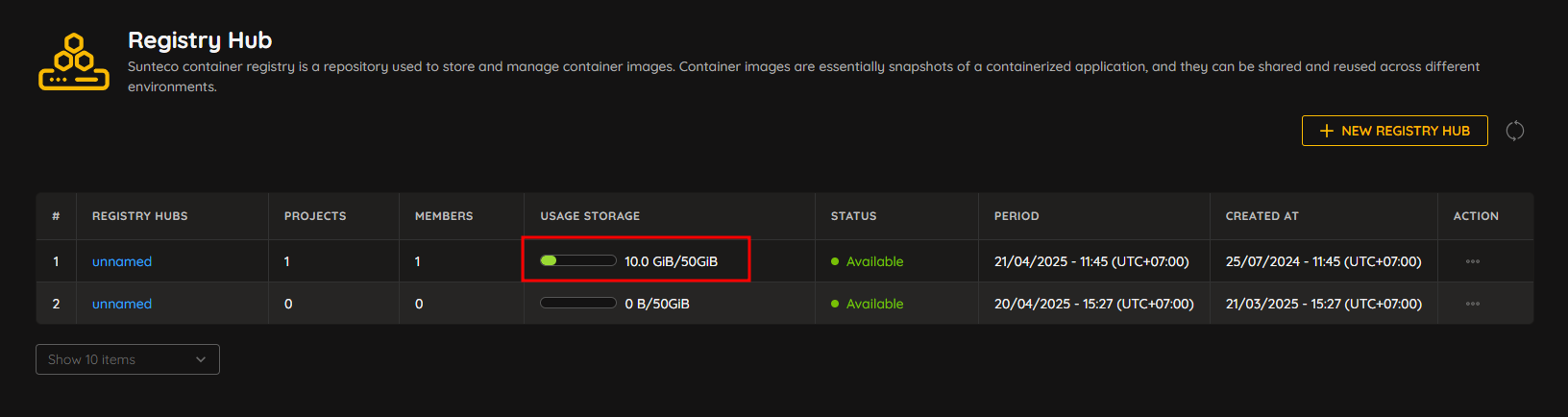
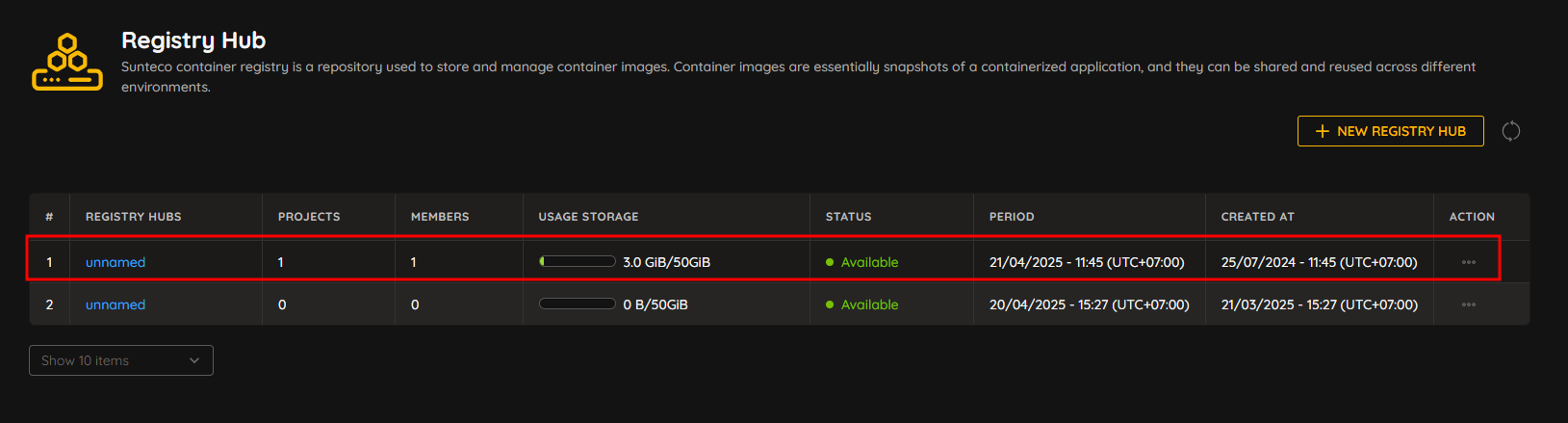
Bước 1: Truy cập vào Registry Hub chứa Project cần extend.
Truy cập vào Registry Hub từ menu Container Registry > Registry Hub.
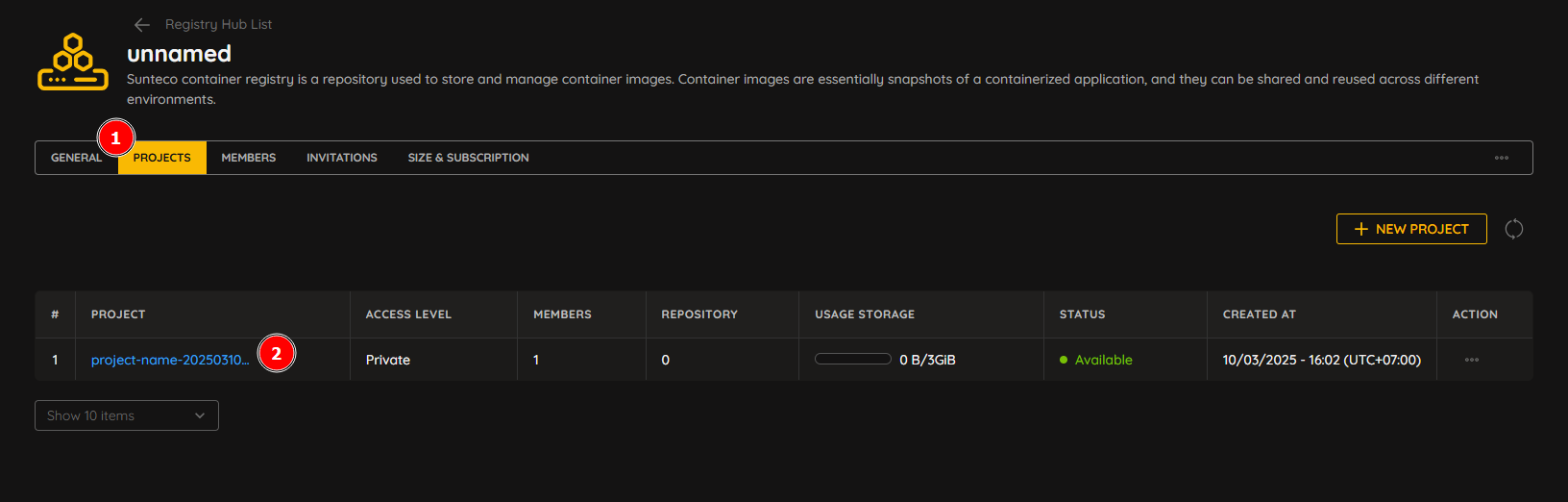
Bước 2: Truy cập vào Project cần extend.
Sau khi truy cập Registry Hub, vào tab Projects. Truy cập vào Project cần extend.
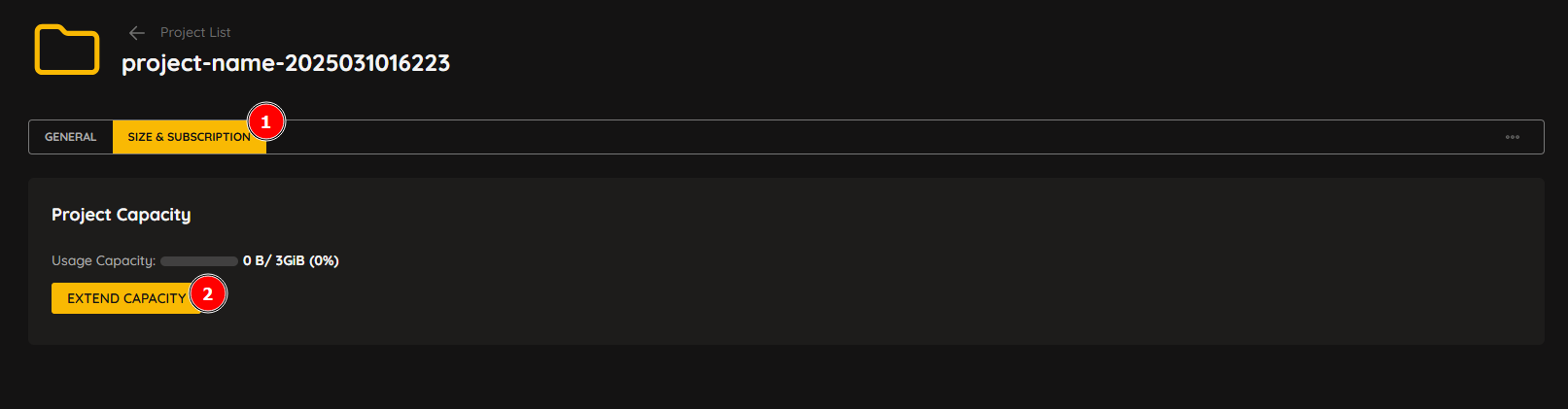
Bước 3: Extend Project.
Vào tab Size & Subscription của Project. Nhấn EXTEND CAPACITY.
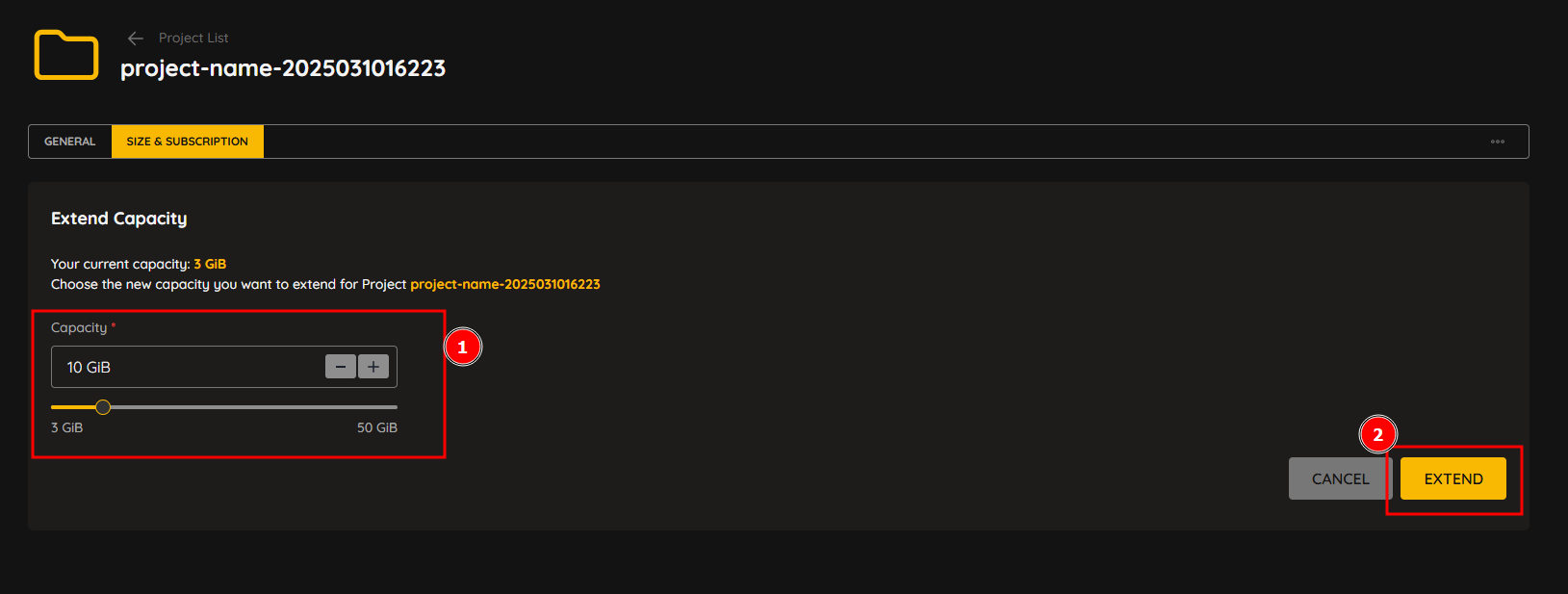
Hệ thống hiển thị màn hình Extend Capacity. Người dùng chọn capacity cần extend sau đó nhấn EXTEND.
Bước 4: Xác nhận Extend Project.
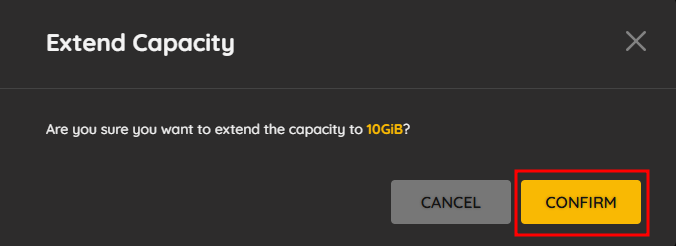
Popup xác nhận Extend Project hiển thị, người dùng nhấn Confirm để xác nhận Extend Capacity cho Project.
Result
Extend Capacity cho Project của Registry Hub thành công.